Sales that stay organised
Record individual sales, review the day’s entries and keep a record of what sold and which dealer it belongs to.
01 / Antique Pilot for centres
Bring sales, dealers, rent and customer enquiries into a shared workspace for your antique centre.
Scroll to discover ↓The everyday, connected
Less time moving between spreadsheets, messages and paperwork. More time looking after your dealers, customers and centre.
Record individual sales, review the day’s entries and keep a record of what sold and which dealer it belongs to.
Keep dealer details, onboarding, rent schedules and account records together.
Review monthly sales, produce dealer statements and explore centre performance over time.
Keep photos and customer enquiries organised, with a workflow for sharing suitable items with dealers.
Inside the workspace
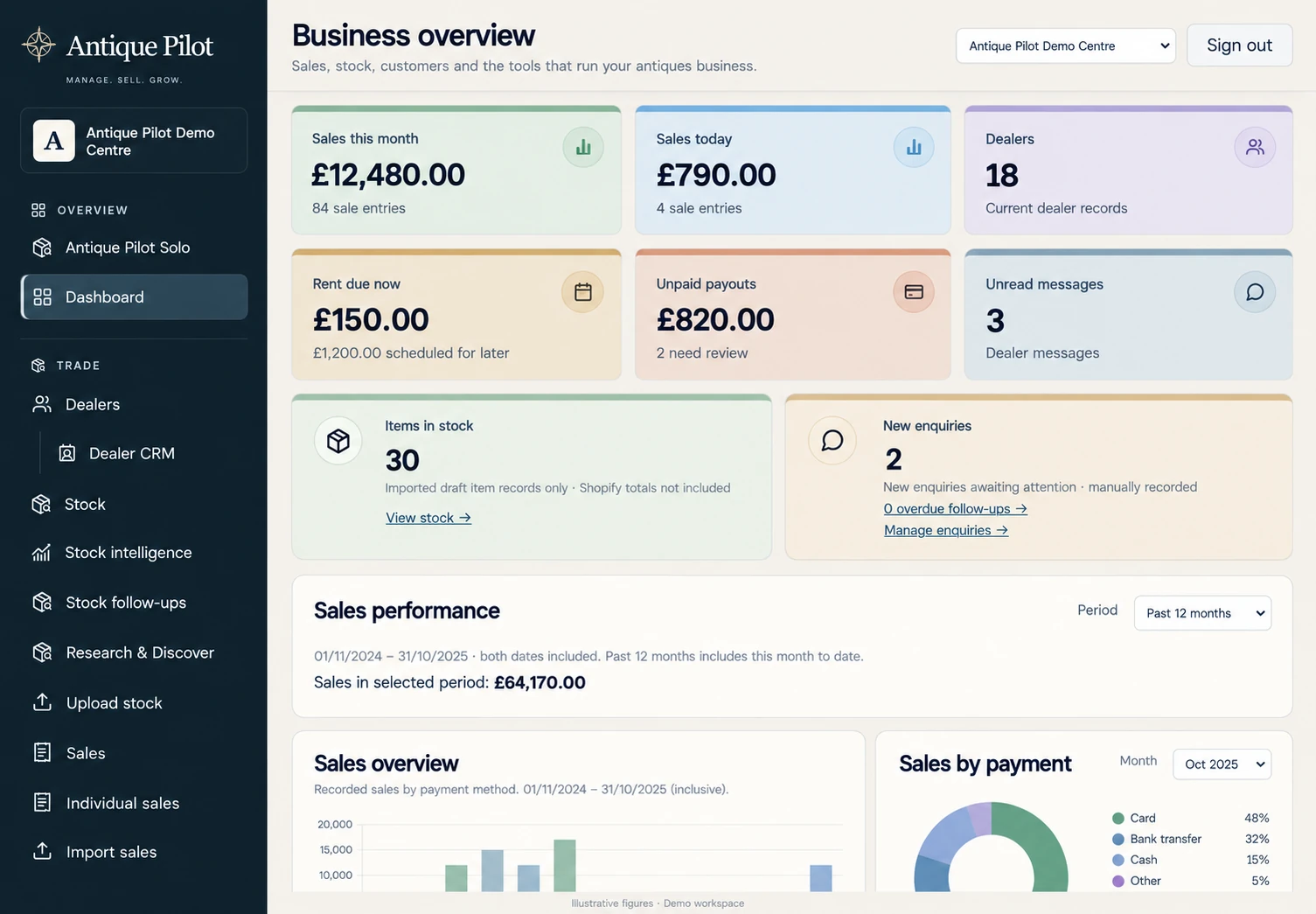
Product preview · Illustrative figures
Existing users can sign in to the portal. To help test before January 2027, select the testing option when you register your interest.
Sign in to the portal ↗Antique centre management software
An antique centre brings together many dealers under one roof. Antique Pilot connects each sale to the right dealer, so the records behind the counter can support the statements and reporting at month end.
Explore all features ↗Record what sold, the sale value and the dealer it belongs to. Review sales by month and prepare dealer statements from organised records.
Keep dealer details and agreements alongside rent schedules and account records, reducing the need to search across separate files.
Managing a centre and running your own dealing business are different jobs. Explore Antique Pilot Solo for independent dealers if you also need buying, stock and customer invoicing tools.
Meet your voice assistant
Prepare sales, find dealers and check totals by speaking. Authorised owners and admins can also prepare statement generation and email reviews.
Explore voice assistance ↗“What are today’s sales by payment method?”You review and confirm before saving or sending.
At the counter
A hypothetical working-day example: dealer 54 sells a side table for £80 by card. The important details should stay connected from the counter entry to the dealer’s statement.
Read the centre software checklist ↗Keep the dealer code, sale date, item description, amount and payment method together. Review a prepared Nova voice entry before confirming the sale.
Check entries and payment totals, then review anything that needs correcting. A recorded total should be traceable to the individual sales behind it.
Check sales against the dealer’s agreed commission and rent records before preparing statements. The centre workspace is in testing ahead of January 2027; confirm the workflow for your own arrangements during a trial.
Launching January 2027
Compare your day-to-day needs with our antique centre software checklist, learn how to organise dealer stock and item costs, or plan a careful move from spreadsheets.
Explore the guides ↗